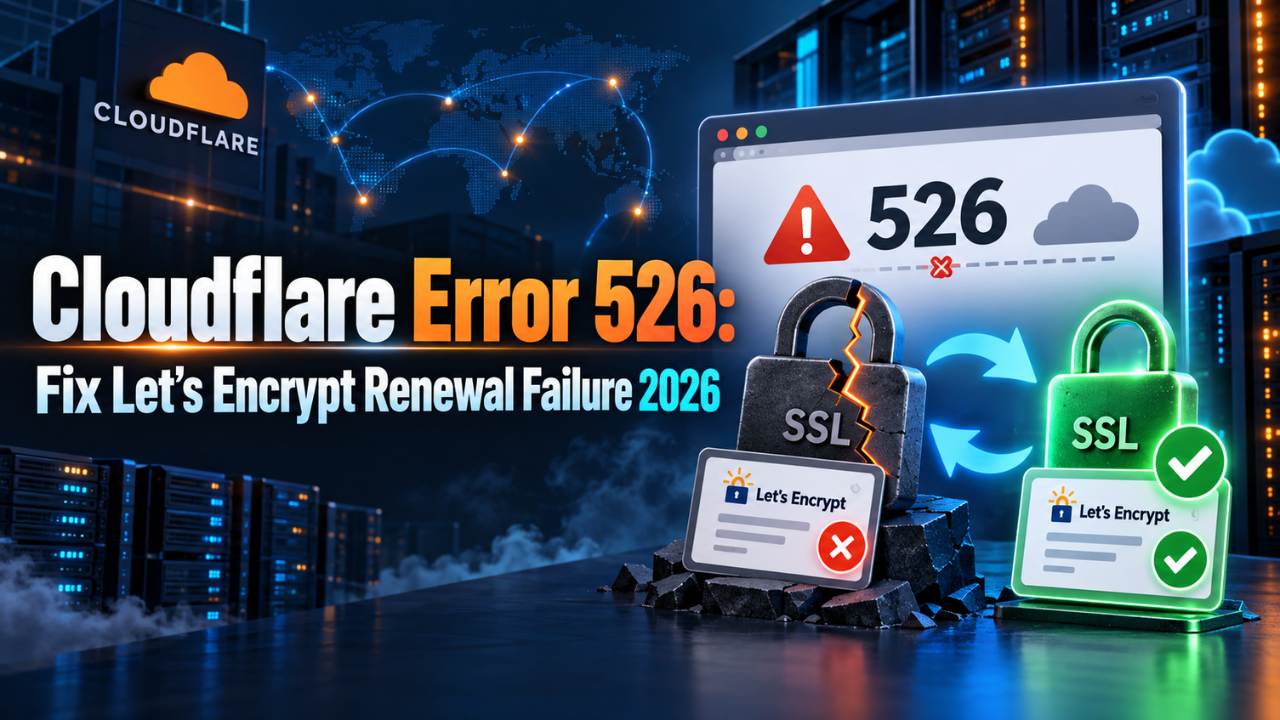
Cloudflare Error 526: Fix Let’s Encrypt Renewal Failure 2026
One of the WordPress sites we manage went down on a Sunday morning with a single grey Cloudflare page saying “Error 526 – Invalid SSL certificate”. The server was up, WordPress was fine, the database was fine, and it still took us most of the morning to fix it properly. If you are staring at the same screen right now, this is the full debug trail we followed, including the two dead ends that wasted our time.
The stack was a Bitnami WordPress image with Apache, running on a small cloud VPS, with Cloudflare proxying everything in front. That combination is extremely common with Indian bloggers and small teams because it is cheap and fast, but it has one nasty property – it quietly breaks Let’s Encrypt auto renewal, and you only discover that 90 days later when the site is already dead.
What Stack Were We Debugging?
Here is exactly what we were working with. If your setup differs on any row the paths will change, but the diagnostic logic stays identical.
| Component | What We Used | Why It Matters Here |
|---|---|---|
| Host | Cloud VPS with a provider firewall | Has its own firewall, seperate from the OS firewall |
| Stack | Bitnami WordPress image | Ships bncert-tool wrapping the lego ACME client |
| Web server | Apache, not nginx | Cert paths live under /opt/bitnami/apache |
| CDN and DNS | Cloudflare proxy, orange cloud | Terminates TLS and intercepts the challenge |
| Certificate | Let’s Encrypt, 90 day validity | Expired silently with no alert |
| SSL mode | Full or Full (Strict) | This is what surfaces the 526 |
💬 “We spent the first twenty minutes running nginx commands on a server that never had nginx installed. We assumed the stack from memory instead of checking. One ‘sudo systemctl status apache’ at the start would have saved that entire detour.”
What Does Cloudflare Error 526 Actually Mean?
Error 526 means Cloudflare reached your origin server on port 443 and refused the certificate it was offered. That is the entire message. It is not DNS, not WordPress, and not a Cloudflare outage – the edge is working perfectly and telling you that your own server presented something it will not validate.
There are only a handful of causes. The certificate expired, it does not cover the requested hostname, the chain is incomplete, or it is self signed while your SSL mode is Full (Strict). In our case, and in most cases we have seen since, it was plain expiry.
The mental model that makes this click: when Cloudflare proxies your domain there are two seperate TLS connections. Browser to Cloudflare uses the Cloudflare edge certificate, which renews automatically and never breaks. Cloudflare to your origin uses your certificate, which is the one that died. Visitors see a Cloudflare error page, so the fault feels like Cloudflare’s, but the broken component is entirely on your box.
📌 Official Resource: Cloudflare’s documentation on origin configuration explains exactly what the edge expects from your server in each SSL mode. Visit Official Website
How Do You Confirm the Certificate Has Expired?
Do not guess. SSH in and read the certificate Apache is actually serving:
sudo openssl x509 -in /opt/bitnami/apache/conf/bitnami/certs/tls.crt -noout -dates -issuer -subjectThat prints notBefore, notAfter, the issuing CA, and the domains covered. When we ran it, the notAfter date sat two days in the past – matching the exact day the site went down. One line of output turned a vague “site is broken” into a confirmed failure with a known cause.
Identify the issuing tool too, because it dictates how you renew. If the files sit under /opt/bitnami/letsencrypt, they came from bncert-tool or lego. If they sit under /etc/letsencrypt, they came from Certbot. Running the wrong tool either fails outright or writes a second certificate that Apache never loads, which is a genuinely confusing mess to unwind at 2 AM.
- Confirm the expiry date on the certificate Apache is actually serving.
- Identify the issuing tool from the file path.
- Confirm Apache is listening on 443 with
sudo netstat -tlnp | grep 443. - Only then attempt a renewal.
Why Does bncert-tool Fail Behind the Cloudflare Proxy?
This is the first wall everybody hits. You run the renewal tool, it looks confident, then validation fails:
sudo /opt/bitnami/bncert-toolUnder the hood bncert-tool calls the lego ACME client with the --tls flag, which means it solves the TLS-ALPN-01 challenge on port 443. That challenge works by having Let’s Encrypt open a TLS handshake directly to your server and negotiate a special protocol called acme-tls/1, during which your server must present a specially crafted validation certificate.
Now think about what the orange cloud does. Every connection to your domain terminates at Cloudflare’s edge, and Cloudflare does not forward the acme-tls/1 ALPN protocol to your origin. The validator never gets the handshake it needs, so the challenge fails. Cloudflare is not blocking you maliciously, it is doing precisely the job you configured it to do. You will typically see an error mentioning that ALPN protocol could not be negotiated.
The immediate workaround is to switch your DNS records to grey cloud (DNS only) in the Cloudflare dashboard. Both the apex record and the www record must be grey. Wait a minute for propagation, then re run bncert-tool. Note that most Certbot guides online do not apply here – Certbot uses HTTP-01 and does not support TLS-ALPN-01 at all, and the Bitnami config paths are different anyway.
Why Does Renewal Still Time Out After Grey Clouding?
We grey clouded everything, re ran the tool, and hit this:
acme: error presenting token: Timeout during connect (likely firewall problem)“Timeout during connect” is a completely different failure from a rejected challenge. Rejected means somebody answered and said no. Timeout means nobody answered at all. Packets were being dropped before they ever touched Apache.
We checked ufw – inactive. We checked iptables – nothing blocking 443. So the drop had to be above the operating system, and it was. The cloud provider firewall had port 443 restricted to Cloudflare’s published IP ranges on both the IPv4 and the IPv6 tab. Port 80 was open to the world, 443 was not.
That restriction is genuinely good hardening – it stops attackers from bypassing Cloudflare and hitting your origin IP directly. But Let’s Encrypt’s validators are not Cloudflare IPs, so they get silently dropped, and the tool reports a timeout that names no firewall at all.
| Error Message | Real Meaning | Where to Look |
|---|---|---|
| Error 526 | Origin cert invalid or expired | Origin certificate file |
| Cannot negotiate ALPN acme-tls/1 | Challenge intercepted by proxy | Cloudflare proxy status |
| Timeout during connect | Nothing answered at all | Cloud provider firewall |
| Connection refused | Server reached, port closed | Apache service status |
To get past it, temporarily allow HTTPS from 0.0.0.0/0 and ::/0 in the provider firewall, on both the IPv4 and IPv6 rule sets. The change applies within seconds and needs no restart. Re run bncert-tool and the challenge completes.
💬 “There is two firewalls in the path and only one of them is visible from inside the server. We saw ufw and iptables were clean and assumed the network path was fine, which cost us half an hour. Always treat the cloud provider firewall as a separate layer – the OS has no idea it exists.”
How Do You Run bncert-tool Without Errors?
One small trap caught us right at the finish line. bncert-tool asks for your domain list and expects space separated plain text, not comma separated:
example.com www.example.comComma separated input is either rejected or produces a certificate that covers only one hostname, which puts you straight back at a 526 for the other one. Answer the remaining prompts as normal and let the tool restart the services.
Here is the complete sequence that finally worked:
- Set both DNS records to grey cloud (DNS only) in Cloudflare.
- Temporarily allow HTTPS from 0.0.0.0/0 and ::/0 in the provider firewall, IPv4 and IPv6.
- Run
sudo /opt/bitnami/bncert-tooland enter domains space separated. - Wait for success and let the stack restart.
- Verify the new expiry date with openssl.
- Switch DNS records back to orange cloud.
- Re restrict port 443 to Cloudflare IPs if you want that hardening back.
Step five confused us badly. The original certificate file still showed the old expired date after a successful renewal. That happened because lego wrote the fresh certificate to a different directory and repointed Apache at it. Always check the path your vhost is currently configured to load, not the path you inspected at the start.
What Is the Permanent Fix So This Never Happens Again?
Everything above is a rescue, not a cure. If you re restrict the firewall, the next automatic renewal fails in exactly the same way and you will be reading your own notes again at midnight. There are two durable options and both are free – $0 (approx. Rs. 0).
Option 1 – Cloudflare Origin Certificate. This is issued by Cloudflare’s own private CA and trusted by the Cloudflare edge only. It can be issued with a validity of up to 5,475 days, roughly fifteen years, so there is no renewal plumbing at all. Create it under SSL/TLS then Origin Server in the dashboard, copy the certificate and private key (the key is displayed exactly once and cannot be retrieved later), place both files on the server, and point the Apache 443 vhost at them. Nothing inbound needs to validate, so neither the proxy nor the firewall matters anymore. Your SSL mode must be Full (Strict) for it to do anything useful.
The trade off is real. Browsers do not trust Cloudflare’s private root, so if you ever grey cloud that domain again visitors will see a certificate warning. For a site that will permanently sit behind Cloudflare, that trade is completely acceptable.
Option 2 – DNS-01 challenge with a Cloudflare API token. Instead of proving control by answering a connection, you prove it by writing a TXT record into your own DNS zone. Nothing connects inbound, so the proxy and the firewall are both irrelevant, and the certificate stays publicly trusted. Since bncert-tool already ships lego, call it directly with the Cloudflare DNS provider and a scoped token holding Zone Read and DNS Edit permissions:
sudo CLOUDFLARE_DNS_API_TOKEN=your_scoped_token_here \
  /opt/bitnami/letsencrypt/lego \
  --dns cloudflare \
  --domains example.com \
  --domains www.example.com \
  --email [email protected] \
  --path /opt/bitnami/letsencrypt \
  --accept-tos run
Once that works manually, put the same command in the renewal cron with renew --days 30 and it runs unattended. Use a scoped API token, never the Global API Key – a leaked global key hands over your entire Cloudflare account. DNS-01 is also the only challenge type that can issue wildcard certificates, which is a useful bonus if you run subdomains.
| Approach | Renewal Effort | Best For |
|---|---|---|
| bncert-tool default | Breaks every cycle behind a proxy | Servers with no CDN in front |
| Cloudflare Origin CA | None for up to 15 years | Sites permanently behind Cloudflare |
| lego with DNS-01 | Fully automated, publicly trusted | Sites that may drop the proxy later |
📌 Official Resource: The lego CLI documentation lists every supported DNS provider and the exact environment variable each one expects. Visit Official Website
What Changed in 2026 That Makes This More Urgent?
Two industry shifts turn this from an annoyance into something you should fix this month.
First, certificate lifetimes are shrinking. Let’s Encrypt still issues 90 day certificates by default today, but the classic profile drops to 64 days in February 2027 and to 45 days in February 2028, following CA/Browser Forum rules that cap public certificates at 47 days by 2029. Six day certificates are already available as an opt in profile. Every reduction multiplies how often a broken renewal path bites you. A manual process you tolerate four times a year becomes intolerable at eight times a year.
Second, Bitnami packaged blueprints are being retired on some platforms. On AWS Lightsail, Bitnami blueprints stopped receiving newer versions in May 2026, and from November 2026 you can no longer create new instances from them. Existing instances keep running with no disruption, and you can still launch from your own snapshots, but nobody should be building new production sites on that path today. If you are planning a migration anyway, do the certificate fix as part of it rather than twice.
📌 Official Resource: Let’s Encrypt publishes its full certificate lifetime roadmap including every scheduled reduction date. Visit Official Website
How Do You Get Warned Before the Next Expiry?
The worst part of this incident was not the fix, it was that nobody told us. The certificate expired, the site broke, and we found out from a reader. Whatever fix you pick, add monitoring on top of it.
- Use an uptime monitor with SSL expiry alerts – most free tiers include this.
- Add a weekly cron that runs the openssl date check and emails you when fewer than 21 days remain.
- If you go the Origin Certificate route, put the expiry date in a calendar, because a 15 year certificate is exactly the thing everyone forgets.
- Never restrict port 443 to Cloudflare IPs while still relying on inbound ACME validation. Pick one or the other, not both.
Frequently Asked Questions
Is Cloudflare Error 526 a problem with Cloudflare or with my server?
It is a problem with your origin server. Cloudflare reached your server successfully and rejected the certificate it received, which usually means expiry, a hostname mismatch, or a self signed certificate combined with Full (Strict) mode.
Can I switch Cloudflare SSL mode to Flexible to bring the site back quickly?
It removes the error, but the connection between Cloudflare and your server becomes unencrypted plain HTTP. Treat it as a five minute emergency measure while you fix the certificate, never as a permanent configuration.
Why does the renewal say “Timeout during connect” when my server is clearly running?
Because packets are being dropped before they reach the operating system, almost always by the cloud provider firewall or security group rather than by ufw or iptables. Check whether port 443 there is restricted to Cloudflare IP ranges.
Do I have to grey cloud my domain every renewal cycle forever?
No, and you should not. Move to a Cloudflare Origin Certificate or to the DNS-01 challenge with a scoped API token, and validation stops depending on inbound connections completely.
Is a 15 year Cloudflare Origin Certificate actually safe?
Yes, for the edge to origin hop specifically, because it is issued by a private CA whose trust exists only inside Cloudflare’s network. Visitors never see it, so the long validity does not weaken public trust in any way.
My certificate renewed but the old file still shows the expired date. Did it fail?
Probably not. The lego client often writes the new certificate to a different directory and updates the web server configuration to point there, so verify the path your vhost is actually loading rather than the original file.
Found this helpful? Share it with a fellow maker or student. Subscribe to our RootSaid YouTube channel for hands-on hardware and AI project videos – and check out our RootSaid Robotics Malayalam channel for Malayalam tutorials.
Final Thoughts
What makes this failure so maddening is that every individual decision along the way was a good one. Putting Cloudflare in front of your site is good. Restricting port 443 so nobody can reach your origin directly is good. Using free automated certificates is good. Only the combination breaks, and it breaks on a timer with no warning.
If you take one thing from our morning of debugging, take this: when validation fails, first ask whether the challenge was answered wrongly or never answered at all. That single distinction points you straight at the proxy or straight at the firewall, instead of at random forum commands. It is the same discipline we use when a circuit does not work – find out whether the signal is wrong or simply absent, then follow it back to the source.
Once the site is up, do not stop there. Spend the extra fifteen minutes on the permanent fix while the pain is fresh, because future you will not remember any of this when it happens again. We had no monitoring, no alerting and no durable renewal path, and one of those gaps was enough to take a site offline for two days.